Introduction
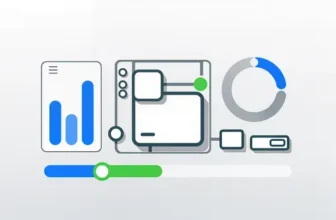
The Solar Generator Interactive Guide is an online learning tool that visually and interactively explains how a solar generator system works. It integrates visual components, scenario tiles for use cases, an energy flow diagram, a live simulation to adjust sunlight, battery size, and appliance load, and a watt-hour calculator for understanding energy capacity.
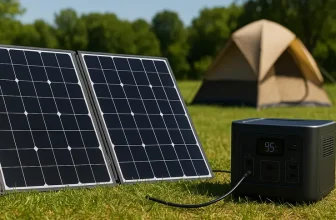
This tool is designed for people who want to understand renewable energy and for anyone interested in off-grid or emergency power setups. It helps illustrate how solar energy moves through each stage—from sunlight to stored electricity to usable household power.
How to use the Solar Generator Interactive Guide
The Solar Generator Interactive Guide walks users through each part of a solar system step by step. Follow these sections to get the most from it.
1. Explore the system components
Start with the visual layout showing the main parts: solar panel, battery, and inverter. The diagram also includes a charge controller and AC output. This visualization helps users understand that a solar generator is a combination of several components working together.
2. Select a use scenario
The guide offers multiple scenarios: home backup, camping, emergency, and off-grid setups. Clicking each tile updates the display with specific advice for that scenario. This allows users to see how each situation affects the ideal solar and battery setup.
3. Interact with the energy flow diagram
Tap on different stages of the diagram—sun, panel, charge controller, battery, inverter, and AC output—to view how energy transitions between them. This helps visualize the energy flow from sunlight to the devices you power.
4. Use the live power simulator
Adjust the sunlight slider from 0–100% to simulate varying conditions. Choose from multiple battery sizes (300Wh–2000Wh) and appliances (30W–1200W). The simulator then calculates whether the solar input can run the device or if the battery must assist.
5. Calculate energy needs
Enter your appliance’s wattage and estimated runtime in hours in the watt-hour calculator. The tool multiplies these values and displays total watt-hours. Compare this to your selected battery capacity to understand energy needs.
Understanding the outputs
The Solar Generator Interactive Guide provides easy-to-read feedback so users can quickly understand system performance.
The live meters show solar input and load output, giving users a clear visual representation of balance and efficiency. The battery size in watt-hours and the live calculation help translate these values into practical scenarios for home, camping, or emergency use.
Examples and scenarios
Camping setup
Set sunlight to 80%, battery to 800Wh, and appliance to Mini fridge (150W). The tool will likely show solar covering most of the load, a common camping scenario.
Emergency power
Set sunlight to 40%, battery to 1200Wh, and appliance to WiFi router + modem (120W). The message shows battery assistance, demonstrating realistic emergency use.
Portable AC test
Set sunlight to 90%, battery to 2000Wh, and appliance to Portable AC (1200W). It will show partial solar support and heavy battery use, ideal for off-grid examples.
Benefits of using this tool
- Provides an interactive explanation of solar generator systems.
- Helps compare solar energy and battery capacity across use cases.
- Ideal for teaching renewable energy concepts.
- Visually demonstrates power flow from sunlight to appliance.
- Enhances engagement and understanding on educational or product pages.
Common mistakes to avoid
- Assuming 100% sunlight all day—conditions vary.
- Ignoring watt-hours when calculating energy requirements.
- Choosing an undersized battery for high-watt appliances.
- Overlooking surge wattage on devices like heaters and pumps.
- Using it for full-home systems rather than portable setups.
FAQ
Conclusion
The Solar Generator Interactive Guide simplifies how solar energy systems are understood. By combining visuals, interactivity, and real-time results, it bridges the gap between theory and practice. Users can simulate power flows, understand battery limitations, and apply watt-hour calculations to make better decisions for off-grid setups, emergencies, or daily portable energy use.